
Transmitter - Key Information
Powering On
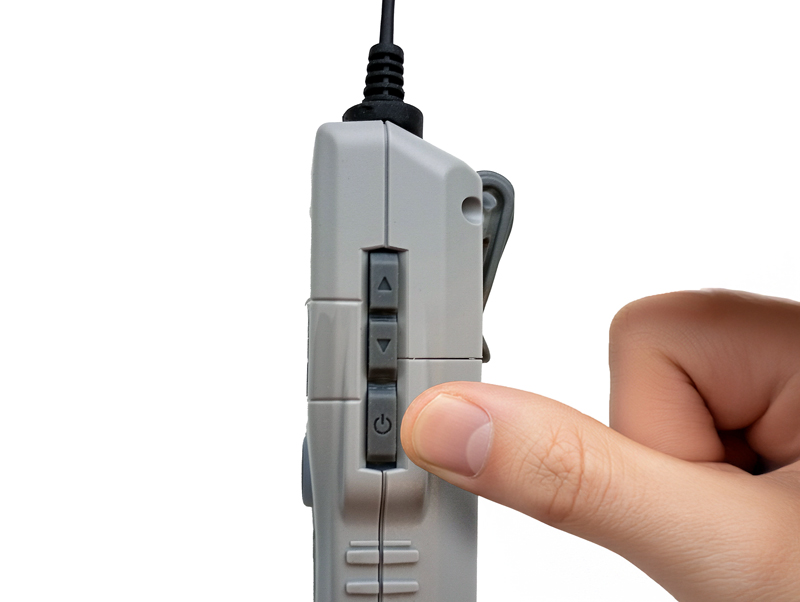
Press and hold the power button (⏻) to turn on the device.
Microphone Indicator

GREEN
Microphone is on

RED
Microphone is muted
Muting the microphone
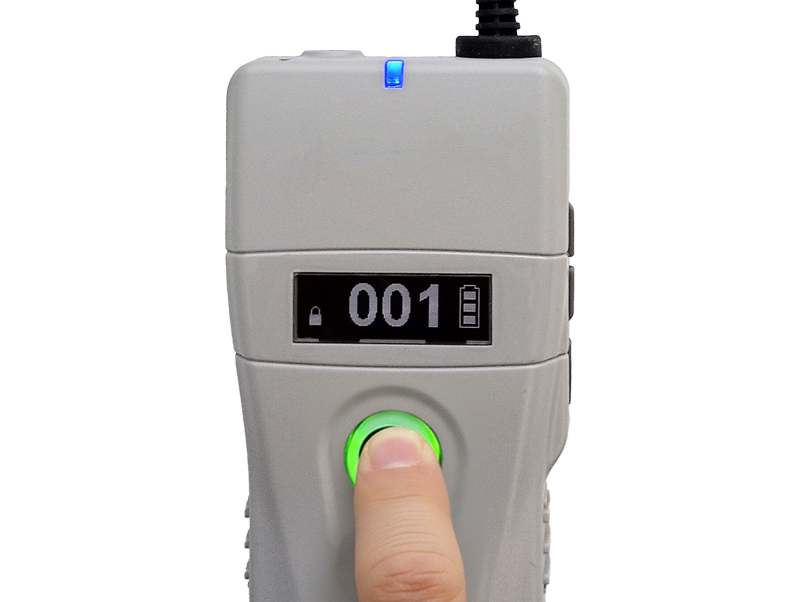
Briefly press the MIC button to deactivate (mute) or activate the microphone.
Microphone Sensitivity - Changing the Setting
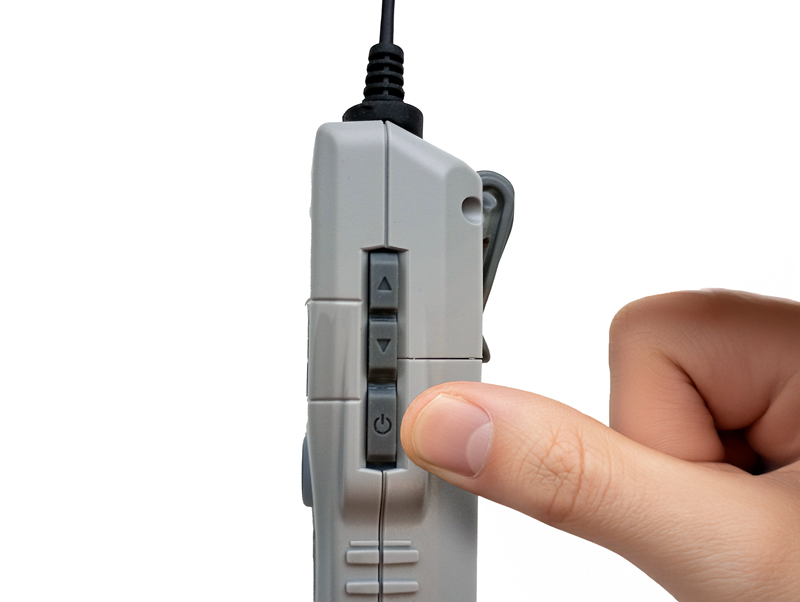
Turn off the transmitter (if it is on) by pressing and holding the power button (⏻) on the side of the device.
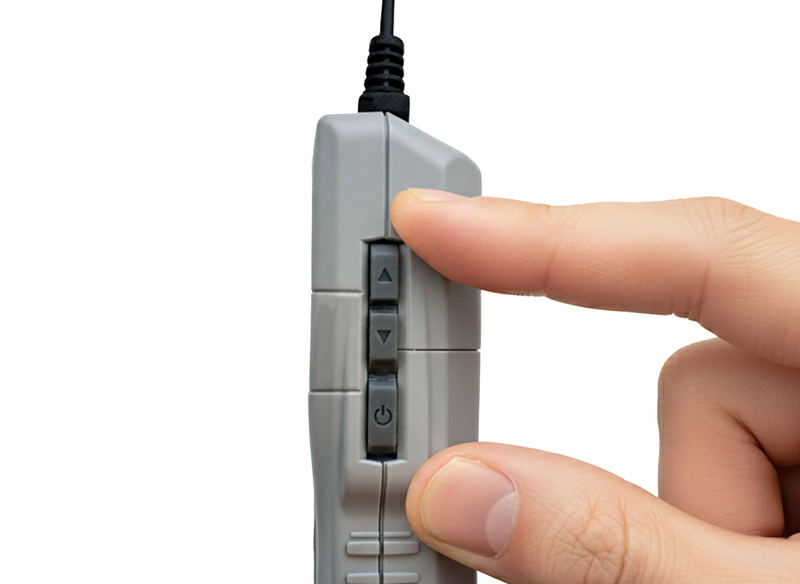
Restart the transmitter in settings mode by simultaneously pressing and holding the power button (⏻) and the channel up button (▲).
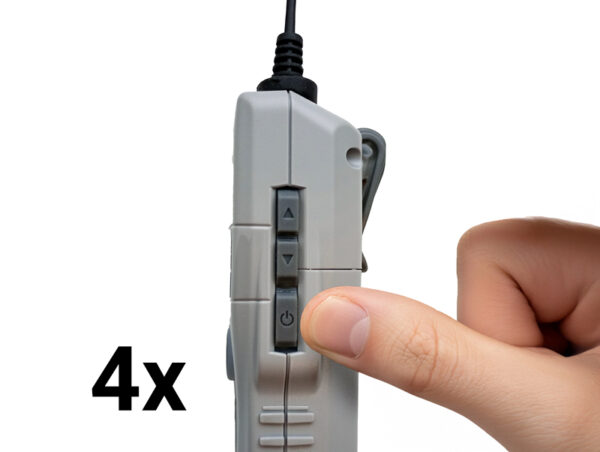
Go to the “EP” setting by pressing the power button four times (⏻), skipping the 4 previous settings.
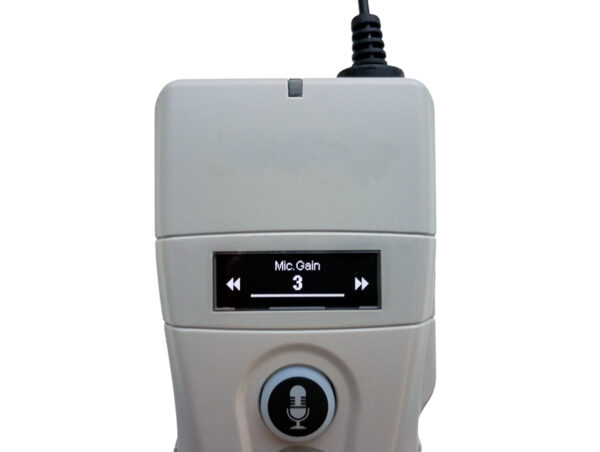
When "MIC GAIN" and a number from 1 to 5 appear on the display, use the channel change buttons to set the microphone sensitivity (where 1 is the lowest and 5 is the highest sensitivity). The default factory microphone sensitivity setting is 3.
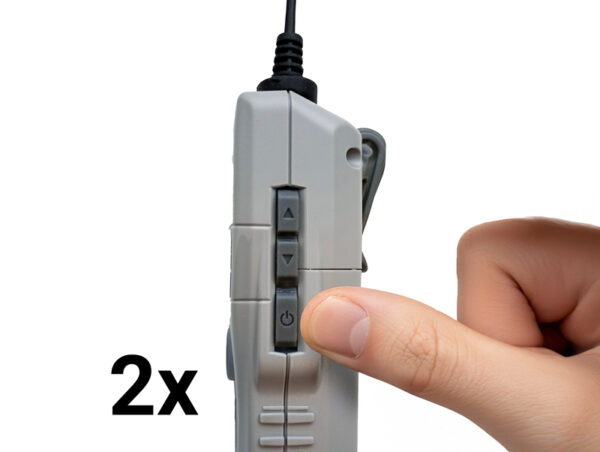
Confirm your selection by pressing the power button (⏻) twice. The transmitter will enter operating mode.
Remote channel change in receivers
The guide can quickly change the channel on receivers remotely.
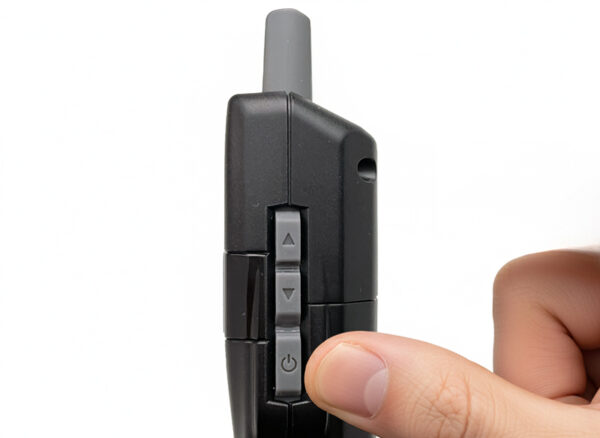
To remotely change the channel, the receivers should first be turned off by holding the power button (⏻) on the receiver.
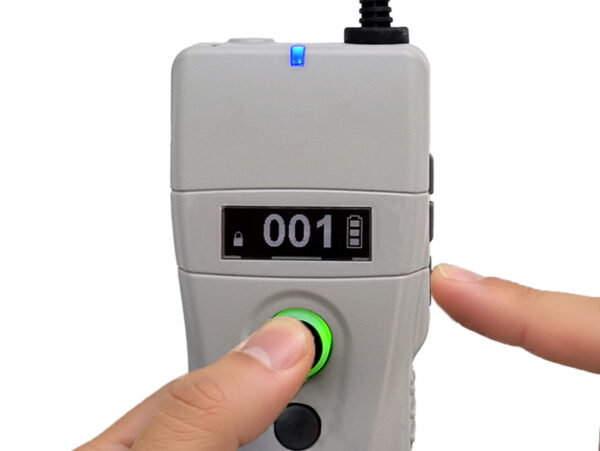
Press and hold both the MIC button and the power button (⏻) simultaneously to enter channel setting mode.
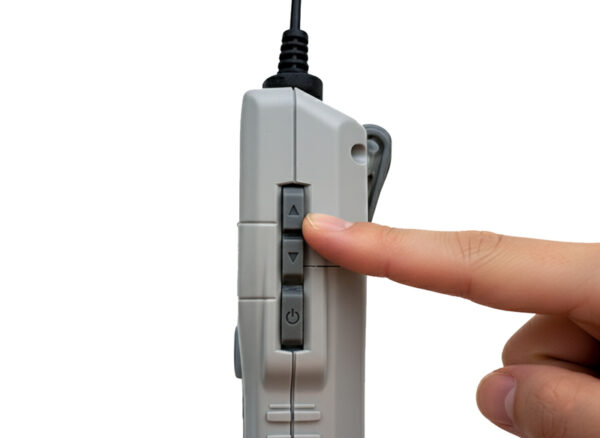
Select the channel using the ▲,▼ buttons on the side of the device and confirm by pressing the power button (⏻). The signal indicator will start flashing.
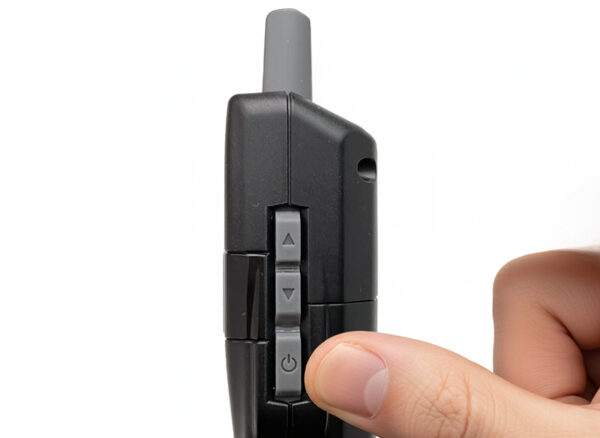
Now turn on the receiver's power (⏻), and its signal indicator will light up.
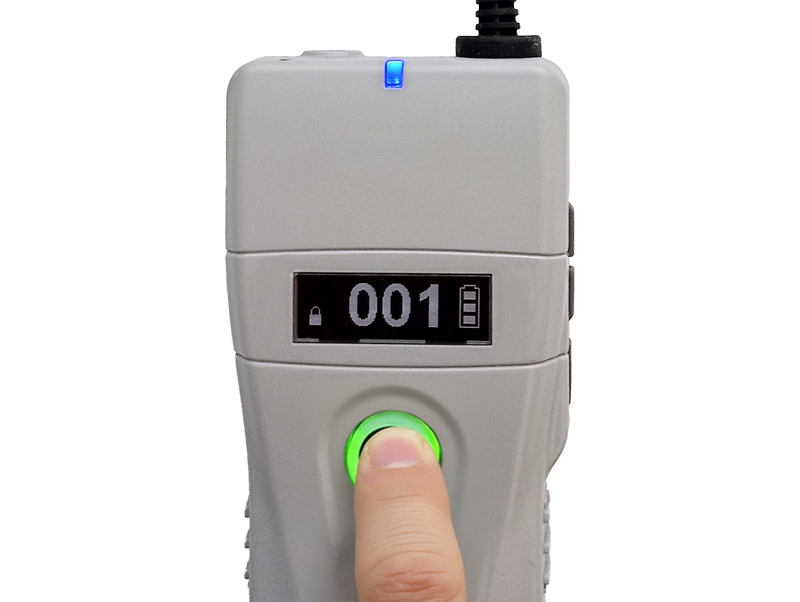
To exit this mode, briefly press the MIC button on the transmitter again.
Remotely Transferring All Receivers in a Group to Another Channel
The guide can automatically transfer their entire group to another channel, e.g., in case of interference on the currently used channel.
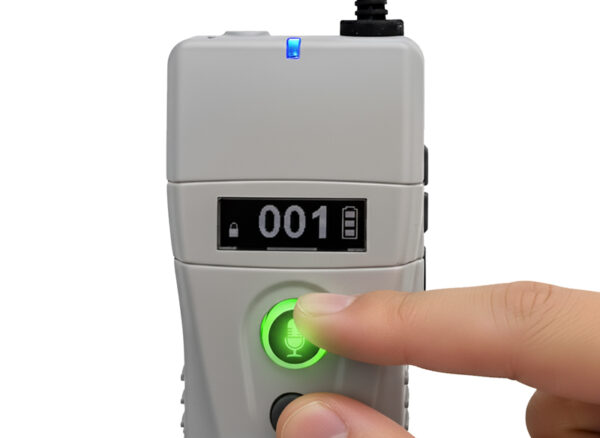
Press and hold both the MIC and CALL buttons.
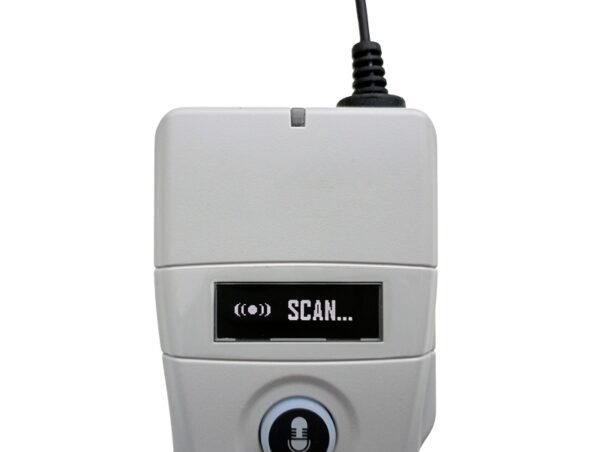
“SCAN…” will appear on the display. The transmitter is searching for a free channel.
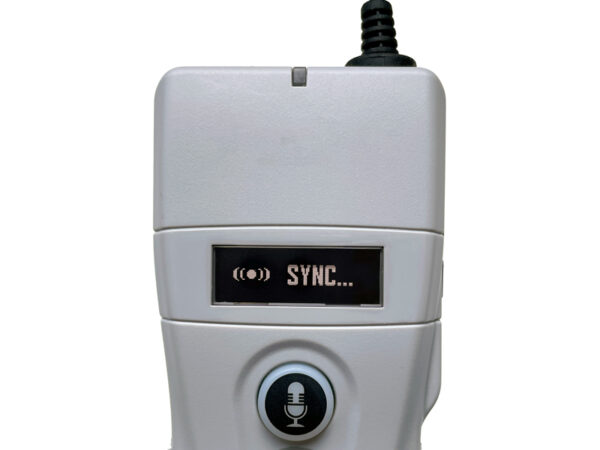
“SYNC…” will appear on the display. The transmitter is changing the group's channel.
Continue the tour after the channel transfer is complete.
[vc_row full_width=”stretch_row_content” css=”.vc_custom_1759144184368{border-bottom-width: 1px !important;background-color: #F9F9F9 !important;border-bottom-style: solid !important;border-color: #E6E6E6 !important;}”][vc_column width=”1/4″ offset=”vc_hidden-xs”][vc_single_image image=”66827″ img_size=”” onclick=”custom_link” css=”.vc_custom_1759144196244{padding-top: 5px !important;padding-left: 70px !important;}” link=”http://mexpo.eu/pmab”][/vc_column][vc_column width=”3/4″ offset=”vc_hidden-xs”][/vc_column][vc_column offset=”vc_hidden-lg vc_hidden-md vc_hidden-sm”][vc_single_image image=”66827″ img_size=”” alignment=”center” onclick=”custom_link” css=”” link=”http://mexpo.eu/pmab”][/vc_column][/vc_row][vc_section][vc_row full_width=”stretch_row” css=”.vc_custom_1759144267576{background-color: #F9F9F9 !important;border-color: #E6E6E600 !important;}”][vc_column offset=”vc_hidden-xs”][vc_custom_heading text=”Transmitter – Key Information” font_container=”tag:h2|font_size:50|text_align:center” google_fonts=”font_family:Noto%20Sans%3Aregular%2Citalic%2C700%2C700italic|font_style:700%20bold%20regular%3A700%3Anormal” css=”.vc_custom_1759144253147{padding-top: 50px !important;padding-bottom: 50px !important;}”][/vc_column][vc_column offset=”vc_hidden-lg vc_hidden-md vc_hidden-sm”][vc_custom_heading text=”Transmitter – Key Information” font_container=”tag:h2|font_size:30|text_align:center” google_fonts=”font_family:Noto%20Sans%3Aregular%2Citalic%2C700%2C700italic|font_style:700%20bold%20regular%3A700%3Anormal” css=”.vc_custom_1759144239069{padding-bottom: 20px !important;}”][/vc_column][/vc_row][vc_row full_width=”stretch_row” content_placement=”middle”][vc_column][vc_custom_heading text=”Powering On” font_container=”tag:h2|font_size:25|text_align:left” google_fonts=”font_family:Noto%20Sans%3Aregular%2Citalic%2C700%2C700italic|font_style:700%20bold%20regular%3A700%3Anormal” css=”.vc_custom_1758625730316{border-bottom-width: 1px !important;border-bottom-style: solid !important;}”][vc_row_inner content_placement=”middle”][vc_column_inner width=”1/4″][vc_single_image image=”67151″ img_size=”” alignment=”center” css=””][/vc_column_inner][vc_column_inner width=”3/4″][vc_column_text css=””]Press and hold the power button ( ) to turn on the device.[/vc_column_text][/vc_column_inner][/vc_row_inner][vc_custom_heading text=”Microphone Indicator” font_container=”tag:h2|font_size:25|text_align:left” google_fonts=”font_family:Noto%20Sans%3Aregular%2Citalic%2C700%2C700italic|font_style:700%20bold%20regular%3A700%3Anormal” css=”.vc_custom_1758625766780{border-bottom-width: 1px !important;border-bottom-style: solid !important;}”][vc_row_inner][vc_column_inner width=”1/6″ offset=”vc_hidden-xs”][vc_single_image image=”66842″ img_size=”” alignment=”right” css=””][/vc_column_inner][vc_column_inner width=”1/6″ offset=”vc_hidden-xs”][vc_column_text css=””]GREEN
Microphone is on[/vc_column_text][/vc_column_inner][vc_column_inner width=”1/6″ offset=”vc_hidden-xs”][vc_single_image image=”66843″ img_size=”” alignment=”right” css=””][/vc_column_inner][vc_column_inner width=”1/6″ offset=”vc_hidden-xs”][vc_column_text css=””]RED
Microphone is muted[/vc_column_text][/vc_column_inner][vc_column_inner width=”1/6″ offset=”vc_hidden-xs”][/vc_column_inner][vc_column_inner width=”1/6″ offset=”vc_hidden-xs”][/vc_column_inner][vc_column_inner width=”1/2″ offset=”vc_hidden-lg vc_hidden-md vc_hidden-sm”][vc_single_image image=”66843″ img_size=”” alignment=”center” css=””][vc_column_text css=””]
RED
Microphone is muted
[/vc_column_text][/vc_column_inner][vc_column_inner width=”1/2″ offset=”vc_hidden-lg vc_hidden-md vc_hidden-sm”][vc_single_image image=”66842″ img_size=”” alignment=”center” css=””][vc_column_text css=””]
GREEN
Microphone is on
[/vc_column_text][/vc_column_inner][/vc_row_inner][vc_custom_heading text=”Muting the microphone” font_container=”tag:h2|font_size:25|text_align:left” google_fonts=”font_family:Noto%20Sans%3Aregular%2Citalic%2C700%2C700italic|font_style:700%20bold%20regular%3A700%3Anormal” css=”.vc_custom_1758625785283{border-bottom-width: 1px !important;border-bottom-style: solid !important;}”][vc_row_inner content_placement=”middle”][vc_column_inner width=”1/4″][vc_single_image image=”67154″ img_size=”” alignment=”center” css=””][/vc_column_inner][vc_column_inner width=”3/4″][vc_column_text css=””]Briefly press the MIC button to deactivate (mute) or activate the microphone.[/vc_column_text][/vc_column_inner][/vc_row_inner][vc_custom_heading text=”Microphone Sensitivity – Changing the Setting” font_container=”tag:h2|font_size:25|text_align:left” google_fonts=”font_family:Noto%20Sans%3Aregular%2Citalic%2C700%2C700italic|font_style:700%20bold%20regular%3A700%3Anormal” css=”.vc_custom_1758625460509{border-bottom-width: 1px !important;border-bottom-style: solid !important;}”][vc_row_inner content_placement=”middle”][vc_column_inner width=”1/4″][vc_single_image image=”67151″ img_size=”” alignment=”center” css=””][/vc_column_inner][vc_column_inner width=”3/4″][vc_column_text css=””]Turn off the transmitter (if it is on) by pressing and holding the power button () on the side of the device.[/vc_column_text][/vc_column_inner][/vc_row_inner][vc_row_inner content_placement=”middle”][vc_column_inner width=”1/4″][vc_single_image image=”67162″ img_size=”” alignment=”center” css=””][/vc_column_inner][vc_column_inner width=”3/4″][vc_column_text css=””]Restart the transmitter in settings mode by simultaneously pressing and holding the power button () and the channel up button (▲).[/vc_column_text][/vc_column_inner][/vc_row_inner][vc_row_inner content_placement=”middle”][vc_column_inner width=”1/4″][vc_single_image image=”67158″ img_size=”” alignment=”center” css=””][/vc_column_inner][vc_column_inner width=”3/4″][vc_column_text css=””]Go to the “EP” setting by pressing the power button four times (), skipping the 4 previous settings. [/vc_column_text][/vc_column_inner][/vc_row_inner][vc_row_inner content_placement=”middle”][vc_column_inner width=”1/4″][vc_single_image image=”67157″ img_size=”” alignment=”center” css=””][/vc_column_inner][vc_column_inner width=”3/4″][vc_column_text css=””]When “MIC GAIN” and a number from 1 to 5 appear on the display, use the channel change buttons to set the microphone sensitivity (where 1 is the lowest and 5 is the highest sensitivity). The default factory microphone sensitivity setting is 3. [/vc_column_text][/vc_column_inner][/vc_row_inner][vc_row_inner content_placement=”middle”][vc_column_inner width=”1/4″][vc_single_image image=”67156″ img_size=”” alignment=”center” css=””][/vc_column_inner][vc_column_inner width=”3/4″][vc_column_text css=””]Confirm your selection by pressing the power button () twice. The transmitter will enter operating mode. [/vc_column_text][/vc_column_inner][/vc_row_inner][vc_custom_heading text=”Remote channel change in receivers” font_container=”tag:h2|font_size:25|text_align:left” google_fonts=”font_family:Noto%20Sans%3Aregular%2Citalic%2C700%2C700italic|font_style:700%20bold%20regular%3A700%3Anormal” css=”.vc_custom_1758794543218{border-bottom-width: 1px !important;border-bottom-style: solid !important;}”][vc_column_text css=”.vc_custom_1759320214150{margin-bottom: 10px !important;}”]The guide can quickly change the channel on receivers remotely.[/vc_column_text][vc_message message_box_color=”warning” css=””]We do not recommend changing the set channel number that was selected for you when picking up the equipment at the reception. Changing to another, random channel may result in entering the same channel used by another guided group. This leads to mutual interference of transmissions and problems hearing the guide. [/vc_message][vc_row_inner content_placement=”middle”][vc_column_inner width=”1/4″][vc_single_image image=”67142″ img_size=”” alignment=”center” css=””][/vc_column_inner][vc_column_inner width=”3/4″][vc_column_text css=””]To remotely change the channel, the receivers should first be turned off by holding the power button () on the receiver.[/vc_column_text][/vc_column_inner][/vc_row_inner][vc_row_inner content_placement=”middle”][vc_column_inner width=”1/4″][vc_single_image image=”67174″ img_size=”” alignment=”center” css=””][/vc_column_inner][vc_column_inner width=”3/4″][vc_column_text css=””]Press and hold both the MIC button and the power button () simultaneously to enter channel setting mode.[/vc_column_text][/vc_column_inner][/vc_row_inner][vc_row_inner content_placement=”middle”][vc_column_inner width=”1/4″][vc_single_image image=”67165″ img_size=”” alignment=”center” css=””][/vc_column_inner][vc_column_inner width=”3/4″][vc_column_text css=””]Select the channel using the ▲,▼ buttons on the side of the device and confirm by pressing the power button (). The signal indicator will start flashing. [/vc_column_text][/vc_column_inner][/vc_row_inner][vc_row_inner content_placement=”middle”][vc_column_inner width=”1/4″][vc_single_image image=”67142″ img_size=”” alignment=”center” css=””][/vc_column_inner][vc_column_inner width=”3/4″][vc_column_text css=””]Now turn on the receiver’s power (), and its signal indicator will light up.[/vc_column_text][/vc_column_inner][/vc_row_inner][vc_row_inner content_placement=”middle”][vc_column_inner width=”1/4″][vc_single_image image=”67154″ img_size=”” alignment=”center” css=””][/vc_column_inner][vc_column_inner width=”3/4″][vc_column_text css=””]To exit this mode, briefly press the MIC button on the transmitter again.[/vc_column_text][/vc_column_inner][/vc_row_inner][vc_custom_heading text=”Remotely Transferring All Receivers in a Group to Another Channel” font_container=”tag:h2|font_size:25|text_align:left” google_fonts=”font_family:Noto%20Sans%3Aregular%2Citalic%2C700%2C700italic|font_style:700%20bold%20regular%3A700%3Anormal” css=”.vc_custom_1758794537120{border-bottom-width: 1px !important;border-bottom-style: solid !important;}”][vc_column_text css=”.vc_custom_1759320206775{margin-bottom: 10px !important;}”]The guide can automatically transfer their entire group to another channel, e.g., in case of interference on the currently used channel.[/vc_column_text][vc_message message_box_color=”warning” css=””]We do not recommend changing the set channel number that was selected for you when picking up the equipment at the reception. Changing to another, random channel may result in entering the same channel used by another guided group. This leads to mutual interference of transmissions and problems hearing the guide. [/vc_message][vc_row_inner content_placement=”middle”][vc_column_inner width=”1/4″][vc_single_image image=”67170″ img_size=”” alignment=”center” css=””][/vc_column_inner][vc_column_inner width=”3/4″][vc_column_text css=””]Press and hold both the MIC and CALL buttons.[/vc_column_text][/vc_column_inner][/vc_row_inner][vc_row_inner content_placement=”middle”][vc_column_inner width=”1/4″][vc_single_image image=”67167″ img_size=”” alignment=”center” css=””][/vc_column_inner][vc_column_inner width=”3/4″][vc_column_text css=””]“SCAN…” will appear on the display. The transmitter is searching for a free channel. [/vc_column_text][/vc_column_inner][/vc_row_inner][vc_row_inner content_placement=”middle”][vc_column_inner width=”1/4″][vc_single_image image=”67172″ img_size=”” alignment=”center” css=””][/vc_column_inner][vc_column_inner width=”3/4″][vc_column_text css=””]“SYNC…” will appear on the display. The transmitter is changing the group’s channel. [/vc_column_text][/vc_column_inner][/vc_row_inner][vc_column_text css=””]Continue the tour after the channel transfer is complete.[/vc_column_text][vc_message message_box_color=”grey” css=””]The full operating manual for the transmitter and receiver can be found HERE.[/vc_message][/vc_column][/vc_row][/vc_section]